Finding orphan pages with topic graphs and crawl data
A page can exist in a sitemap or CMS and still have weak navigational connections. Learn how ClusterIQ combines topic relevance with crawl and link data to find meaningful orphan risks.

Farky Rafiq
Founder of ClusterIQ
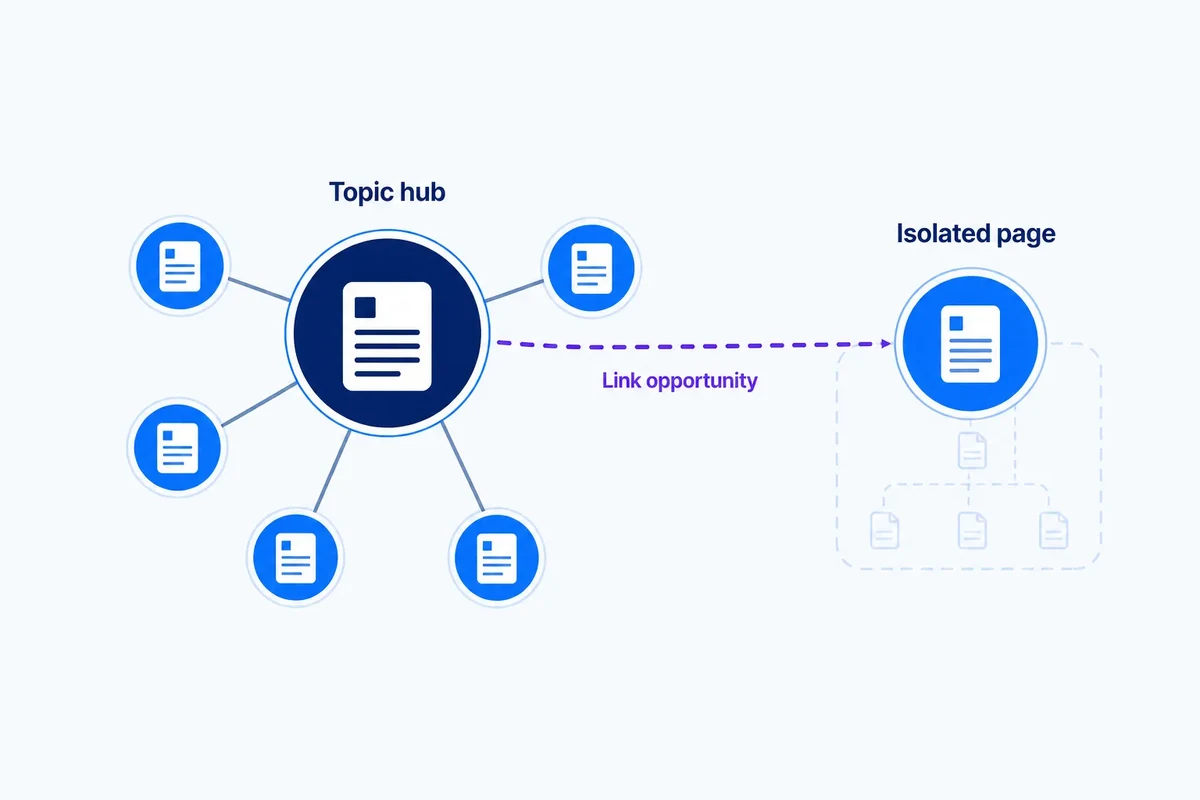
We usually define an orphan page as a URL with no internal links pointing to it. It is a classic technical SEO check, but in the real world, the definition needs to be a bit more nuanced. A page might appear in your XML sitemap, attract external backlinks, or be reachable via a JavaScript menu, yet still remain completely isolated from the site's topical structure and logical navigation.
ClusterIQ helps by combining technical discovery with topical evidence. This allows us to identify pages that are not just technically isolated in a crawl, but are effectively cut off from the content relationships they need to perform well.
Start with the internal link graph
The first step is calculating the incoming internal links for every indexable page. If a page has zero incoming links from other crawlable URLs, it is a clear orphan. However, we also need to look for weakly connected pages. A URL that only receives one solitary link from a deep pagination archive or an obscure tag page is effectively orphaned, even if it technically has a parent.
Sitemaps provide a second inventory
When you compare your crawl data against your XML sitemaps, you often find discrepancies. If a page exists in the sitemap but cannot be found by following links during a crawl, you have a strong signal of isolation. Looking at sitemap coverage by cluster adds necessary context, showing you exactly which topics are being left out in the cold.
CMS and database inventories can reveal hidden URLs
Sometimes pages are absent from both the crawl and the sitemap but still live within your CMS. To get a complete picture of your site's "dark matter," you should compare several data sources:
- Crawl URLs from tools like Screaming Frog or Sitebulb;
- XML sitemap URLs;
- Direct exports from your CMS or database;
- Pages reported in Google Search Console;
- URLs discovered in server logs.
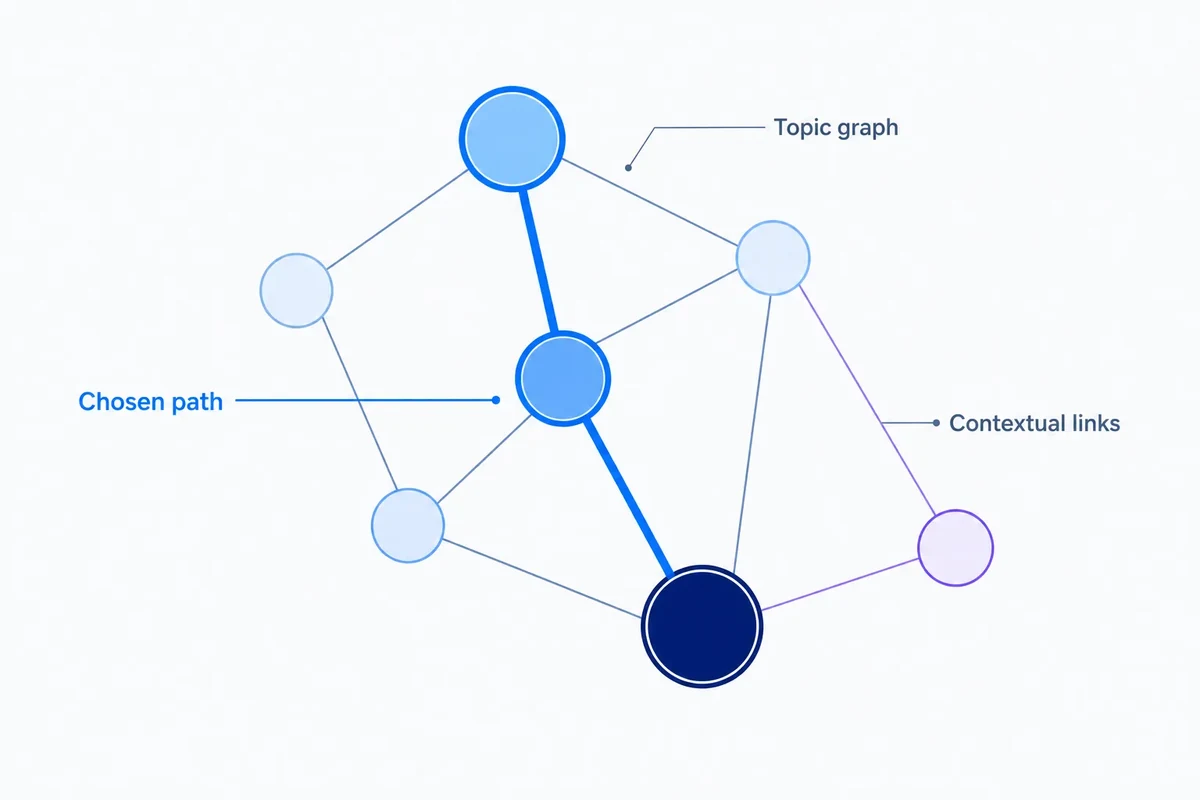
Topic graphs explain where the link should come from
Identifying an orphan is only the beginning of the task. The real challenge is deciding what to do with it. ClusterIQ helps by mapping out the page's "topical neighborhood," identifying:
- The logical parent topic;
- Related sibling pages that cover similar ground;
- The primary commercial destination the page should support;
- Supporting guides that could link to it;
- Existing hub pages that already have authority.
These relationships turn a technical error into a list of meaningful internal linking opportunities.
Worked example: a specialist category
Imagine a category page for a niche product range. It is indexable and sits in the sitemap, but a recent navigation update accidentally removed the link from the main shop menu. The page is still getting a few organic impressions because it has some historical authority, but it is slowly starving.
ClusterIQ can demonstrate that this page owns a unique product cluster and belongs under a specific, well-linked parent category. This makes the solution obvious: rather than just "fixing an orphan," you are restoring a vital branch of your topical hierarchy.
Not every orphan deserves a link
Before you start adding links, you must validate the page's quality. An orphan might be isolated for a reason. It could be:
- Obsolete content that should have been deleted;
- A duplicate of a better-performing page;
- Thin content with no search value;
- A legacy campaign landing page that is no longer relevant.
Always ask if the page should exist at all before you try to save it.
Use cluster ownership to prioritise
If you have hundreds of orphans, you need to know where to start. An isolated page that uniquely targets a high-value keyword cluster is a priority. Conversely, a page with no search demand and significant overlap with another URL is a prime candidate for a 301 redirect or consolidation rather than a new link.
Weakly connected pages matter too
Raw link counts do not tell the whole story. A page might have ten internal links, but if they all come from unrelated footer sections or utility menus, the page still lacks a topical home. ClusterIQ compares link edges with topic edges to find these structural mismatches, highlighting pages that are technically linked but topically stranded.
Bridge pages can rescue discoverability
Sometimes the best way to fix a group of orphans is to create or improve a "bridge" page. A high-level guide or a parent category can naturally tie several child pages together. Adding one well-placed hub relationship is often more effective for users and search engines than scattering links across dozens of unrelated articles.
Use crawl depth carefully
A page sitting four or five clicks away from the homepage isn't always a problem, provided the path is logical. However, for your most important topics, excessive depth combined with a lack of relevant contextual links is a red flag that requires a review of your site architecture.
Search Console can show observed page activity
If Search Console shows that an orphaned page is still getting impressions, it is being discovered somehow, perhaps through old external links or social media. This doesn't mean the architecture is fine; it simply proves the page has value worth protecting and integrating properly.
Server logs can show crawler discovery
If your server logs show Googlebot is still visiting a page that has no internal links, it is likely finding it via the sitemap or historical discovery. Analysing crawl logs by cluster helps you see if search engines are wasting crawl budget on isolated areas of the site.
Internal link recommendations should follow user value
We should never add a link just to tick a box in an SEO audit. The source page must provide a logical context where the link actually helps a human reader. If the link feels forced, it probably shouldn't be there.
Track orphans after releases
Large-scale site changes often lead to accidental orphans. By comparing link-graph snapshots before and after a deployment, ClusterIQ can flag if a previously well-integrated topic has suddenly lost its internal support.
Keep technical and topical isolation separate
To make your audit actionable, categorise your findings into these states:
- Technical orphan (zero links);
- Weakly linked (low quality/utility links);
- Topically isolated (no links from related content);
- Intentionally standalone (e.g., specific PPC landing pages);
- Retirement candidate (no value, no links).
Practitioner principle: finding an orphan tells you a page lacks internal paths. Topic evidence tells you whether the page deserves a path and where it should come from.
ClusterIQ Conclusion
Topic graphs transform orphan page analysis from a dry technical exercise into a strategic architectural improvement. By connecting technical isolation with search purpose, ClusterIQ identifies which pages are worth saving and exactly where they should fit into your site's story.
Prioritise link restoration by topic role
When dealing with thousands of keywords and hundreds of pages, ClusterIQ ranks remediation by the page's role. A parent category that supports twenty sub-pages is a higher priority than a single blog post. Instead of a generic "add links" instruction, the system identifies the specific parent or sibling page that makes the most sense as a source. This allows you to focus on writing the right anchor text and placing the link where it adds the most value, rather than hunting through your CMS for a place to put it.
Sources and further reading
Farky Rafiq
Founder of ClusterIQ
I've worked in digital marketing since 2005 and founded Liquid Silver in 2011. These articles are where I share the methods, experiments and practical SEO thinking behind ClusterIQ.
Put the idea into practice with your own keyword data
ClusterIQ helps turn raw SEO exports into clean, structured working datasets you can inspect, refine, report on and take into the next stage of your workflow.
Keep reading
Building internal links from topic graphs without turning the site into a mesh
Sitemap coverage by keyword cluster: connecting XML discovery with the topics a site is meant to own