Breadcrumb design from topic clusters: using hierarchy without forcing the graph into a tree
Topic graphs can reveal parent-child relationships, but breadcrumbs need a clear navigational path. Learn how ClusterIQ can turn analytical structure into usable hierarchy carefully.

Farky Rafiq
Founder of ClusterIQ
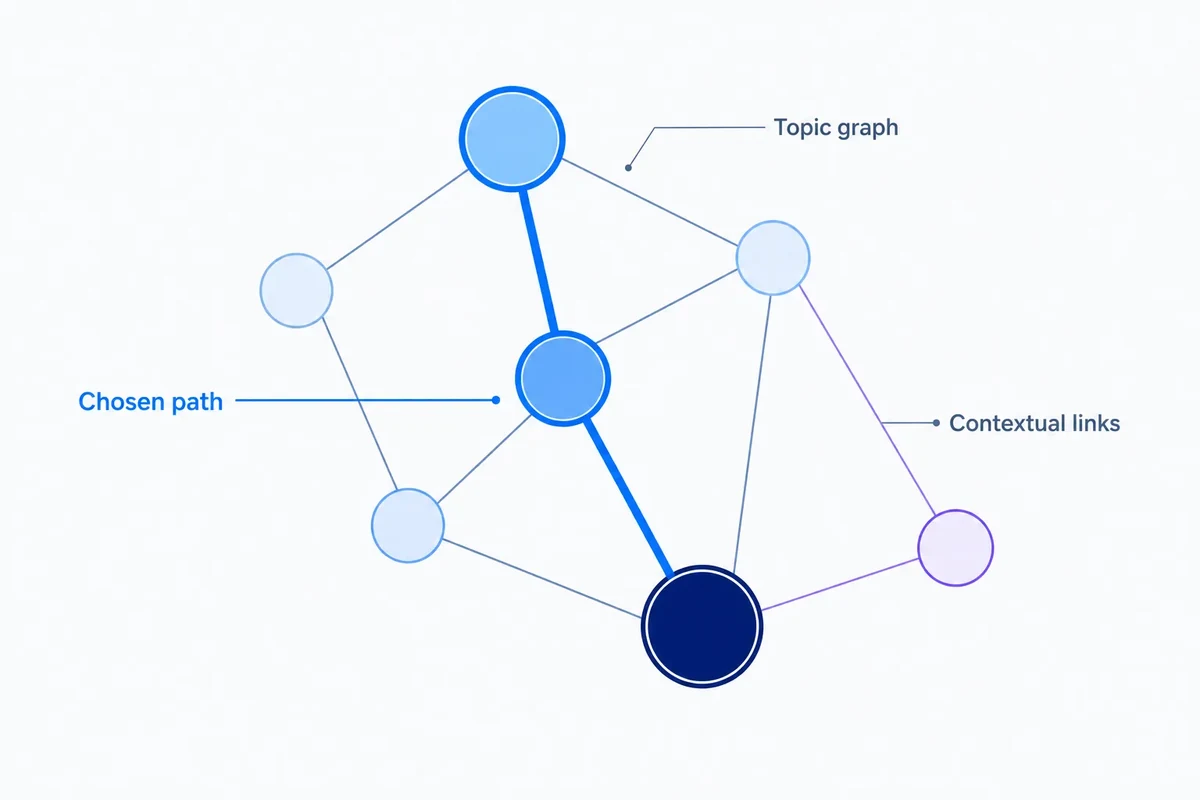
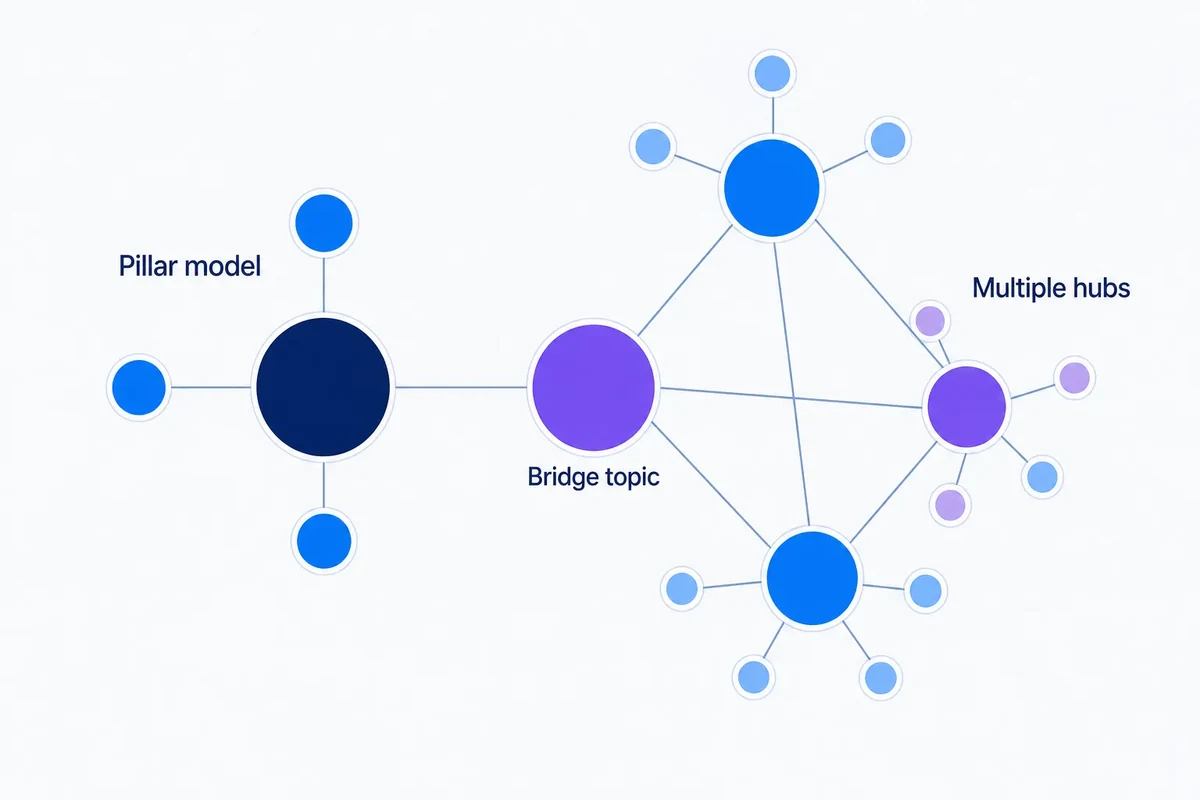
Topic graphs are naturally messy, many-to-many networks. Breadcrumbs, by contrast, are strictly linear. When you are looking at a keyword or a specific page, it often relates to several neighbouring topics at once. However, a breadcrumb trail needs to pick one clear, hierarchical path to help a user understand exactly where they are sitting within your site structure.
ClusterIQ helps bridge this gap by using topic and taxonomy evidence to inform that path. It allows you to make smart structural decisions without trying to force every complex analytical relationship into your navigation menus.
Breadcrumbs describe navigational hierarchy
A typical breadcrumb might look like this:
Home → Bathrooms → Shower Enclosures → Black Shower Screens
This path communicates a specific, chosen site hierarchy. It does not need to show every single relationship the black shower screen page has with glass types, installation guides, or specific brands. Those are important connections, but they belong in your content or filters, not your primary navigation trail.
Topic graphs can suggest parent candidates
When you are looking at thousands of keywords from Ahrefs or Search Console, it can be hard to spot the natural "parent" for a new page. ClusterIQ can inspect several signals to nominate the best candidates, including:
- Broad parent communities within the data;
- Existing taxonomy labels;
- Product and entity relationships;
- Current category hierarchies;
- Internal link paths.
These signals help you decide which category a page truly belongs to when the data suggests multiple options.
Worked example: one page with several valid relationships
Imagine you have a guide titled "How to measure for a shower screen". Looking at your keyword research, this guide relates to:
- Shower screens (the product);
- Installation (the task);
- Bathroom measurements (the technical skill);
- Buying guides (the content type).
The breadcrumb should follow the primary navigational context that makes the most sense for your business, such as Bathrooms → Shower Screens → Measuring Guide. You can then use contextual internal links within the article to represent those other important relationships.
Do not derive hierarchy from search volume alone
It is a common mistake to assume the term with the highest search volume is automatically the parent. In reality, a parent should represent a broader category or a conceptual container that is useful for both users and site management. ClusterIQ's taxonomy workflow is designed to keep search demand and structural hierarchy as two separate considerations.
Graph centrality is supporting evidence
A central node in your topic graph is often a strong candidate for a hub page because it connects to so many other related topics. However, these nodes can also be quite generic or ambiguous. You should use centrality to identify potential parent candidates, rather than letting an algorithm assign breadcrumb parents automatically without a human check.
Existing URL structure should not dictate the breadcrumb blindly
Many sites carry legacy URL paths that no longer reflect how the business is actually organised. Breadcrumbs should represent a logical user hierarchy that makes sense today, rather than simply mirroring every directory segment in an old URL string.
Product hierarchies provide stronger evidence
For those working in ecommerce, your product taxonomy and catalogue relationships often provide the clearest parent-child structures. ClusterIQ can compare your search-derived topics against your actual product catalogue. This helps you identify where your existing hierarchy matches what people are searching for and where you might need a redesign to fill gaps.
Breadcrumb structured data follows the chosen trail
Google uses BreadcrumbList structured data to understand and display your site's organisation in search results. This markup must represent the visible, logical navigation trail on the page. You should never invent a hidden, SEO-only path based on keywords that doesn't match what the user sees.
Multiple breadcrumb trails may be possible
Google's documentation does allow for multiple breadcrumb trails if a page genuinely lives in two places. However, from a design and UX perspective, it is usually better to avoid multiple paths unless they reflect a very specific user need. Proliferating alternatives often leads to a confusing site structure.
Use sibling relationships for contextual links
If two pages are closely related but neither is a "parent" of the other, they are siblings. Forcing one to be the parent of the other in a breadcrumb feels unnatural. This is where topic-graph internal linking comes in. It complements your hierarchy by connecting related pages through the body copy instead of the navigation bar.
Breadcrumb changes need migration awareness
Changing your hierarchy is a significant move. It can affect your navigation, how internal link equity is distributed, your structured data, and how users discover categories. ClusterIQ allows you to compare your old parent-child relationships against proposed new ones before you commit to the change.
Use stable parent-child evidence
If a relationship between two topics persists across several different versions of your topic map, it is a very strong candidate for your hierarchy. Stability is vital for navigation; you don't want to be changing your site structure every month because of a slight shift in keyword clustering boundaries.
Keep labels human-friendly
The label a clustering tool gives to a group of keywords might be mathematically accurate, but it might not be the right word for a button. Always use concise, human-friendly business terminology for your breadcrumbs and keep the technical cluster labels for your internal reporting.
Breadcrumbs should make the current page easier to understand
The ultimate test isn't whether your hierarchy perfectly matches a mathematical graph. The test is whether a user landing on a page from Google can immediately understand which section they are in and move "up" to a parent category logically.
Practitioner principle: topic graphs reveal relationships; breadcrumbs choose one navigational path. Do not force a network into a tree when contextual links can carry the other relationships.
ClusterIQ Conclusion
ClusterIQ helps you use topic structure to make better breadcrumb decisions without confusing analytical similarity with actual navigation. The most effective hierarchies combine stable parent-child evidence with user logic. While the graph helps explain why a parent category makes sense, the final trail must always be grounded in a good experience for the person browsing your site.
Validate the proposed trail against real click paths
Topic evidence is a great starting point, but you should always check it against how people actually use your site. ClusterIQ can compare proposed breadcrumb parents with your existing menu structures and internal links to ensure you aren't creating an unfamiliar or confusing route for your visitors.
Any structural change should be reviewed for consistency. Your breadcrumb labels, structured data, and page headings should all tell the same story. The result is a navigation recommendation that is backed by data but remains, at its heart, a user experience decision.
Sources and further reading
Farky Rafiq
Founder of ClusterIQ
I've worked in digital marketing since 2005 and founded Liquid Silver in 2011. These articles are where I share the methods, experiments and practical SEO thinking behind ClusterIQ.
Put the idea into practice with your own keyword data
ClusterIQ helps turn raw SEO exports into clean, structured working datasets you can inspect, refine, report on and take into the next stage of your workflow.
Keep reading
Building internal links from topic graphs without turning the site into a mesh
Content gap analysis with keyword clusters: finding missing coverage without manufacturing articles