What Search Console aggregation means for keyword cluster analysis
Search Console query and page data is invaluable for cluster analysis, but aggregation, anonymised queries and filtering change what the numbers mean. Learn how to use the data carefully.

Farky Rafiq
Founder of ClusterIQ
Google Search Console is arguably the most valuable first-party dataset an SEO can get their hands on. However, it is easy to fall into the trap of treating it like a perfect, exhaustive log of every search ever made. It is not.
For those of us using ClusterIQ, Search Console data is brilliant for validating clusters, mapping queries to specific URLs, and spotting when a different page starts "owning" a topic. But these insights only hold water if we understand how Google aggregates the data and what it chooses to hide.
Search Console reports aggregated performance
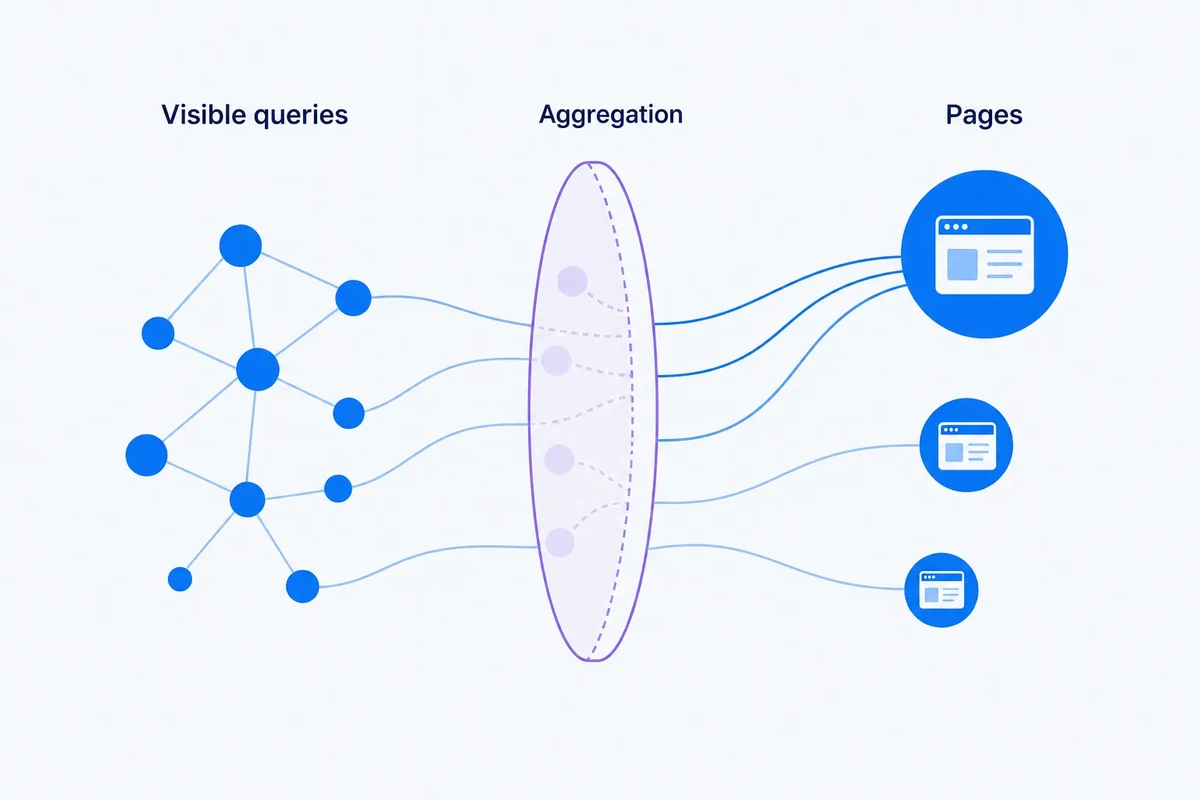
The Performance report gives us clicks, impressions, CTR, and average position across various dimensions like query, page, country, and device. The catch is that the numbers change depending on how you group them. If you switch from a query-level view to a page-level view, the way Google sums up those metrics shifts. When you are running a cluster analysis, you must keep track of which dimensions were used to generate the metrics, or the numbers won't add up later.
Not every query is exposed
Google leaves out a significant chunk of queries to protect user privacy. This is why, when you look at your total impressions at the top of a report, the sum of the individual query rows below it rarely matches. We should never treat a Search Console export as a complete record of all market demand. It is observed evidence of how people find you, not a total keyword universe.
Filtering can change totals
Applying filters for specific countries, devices, or search appearances changes how Google reports both individual rows and totals. If you are importing several different exports into ClusterIQ that were created with different filters, you need to keep that context visible. Comparing a "mobile-only" dataset to an "all devices" dataset without realising it will lead to some very confusing conclusions.
Query-page analysis needs both dimensions
If you want to understand which page truly owns a topic, a simple list of keywords isn't enough. You need the relationship between the query and the page. This allows you to see which specific URLs are actually catching the impressions for a cluster. This connection is the core of the ClusterIQ's query-page matrix, helping you spot where your site structure might be working against your content goals.
Average position is an average
It is tempting to look at an average position of 4.2 and treat it as a fixed rank. In reality, that number is a blend of thousands of different searches across different locations and contexts. When we aggregate these at a cluster level, we risk creating a metric that looks precise but is actually quite blurry. It is usually better to look at distributions or specific page-level evidence when making big tactical decisions.
Worked example: one cluster, hidden demand
Imagine a cluster of 500 keywords showing 100,000 impressions. If you check the total impressions for the pages associated with that cluster, the number will likely be higher. This is because of those anonymised queries Google doesn't show you. The cluster is still incredibly useful for understanding your content's performance and structure, but we shouldn't claim those 500 rows represent 100 percent of the topic's demand.
Date range changes the shape of the dataset
The timeframe you choose for your export dictates what kind of story the data tells. A 28-day snapshot is great for seeing how a recent optimisation is landing, while a 16-month export is better for smoothing out seasonal peaks. When clustering, match your date range to your goal:
- Recent content tweaks: use a recent, short period.
- Seasonality checks: compare matching seasonal windows.
- Migration baselines: use a stable period before any changes.
- Topic discovery: use a broad, representative period.
Brand and non-brand data can be analysed separately
Separating branded searches from generic ones is a standard SEO move, and Search Console makes this relatively easy. In ClusterIQ, keeping these separate allows you to see the true topical structure of your site without it being skewed by your brand name. Our guide on Branded versus non-branded clustering explains why it is best to keep brand status and topic as distinct categories.
Page aggregation can hide competing URLs
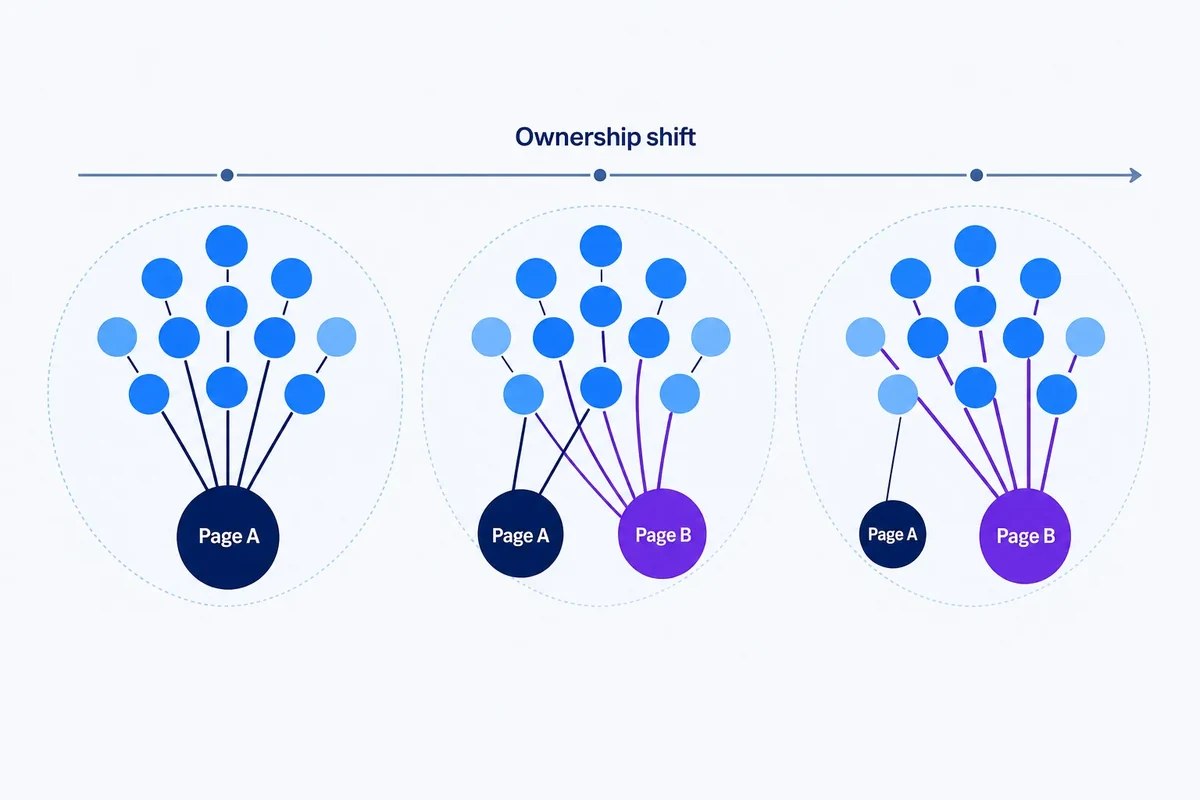
A cluster might look like it is performing perfectly on the surface, but underneath, you might have three different URLs fighting for the same impressions. To avoid missing this, always keep enough page-level detail to see:
- Which URL is dominant.
- Which secondary pages are "cannibalising" or helping.
- When ownership shifts from one page to another.
- When new pages start appearing for those terms.
Search Console should validate, not define, the cluster
Just because a keyword has zero impressions in Search Console doesn't mean it isn't a great opportunity. Similarly, just because a query is currently mapped to a specific page doesn't mean that is the best page for it. Use Search Console as evidence of what is happening now, rather than letting current rankings dictate your entire future content map.
Store import metadata
To make sure your analysis is reproducible, every import should include the basics: the property name, date range, filters used, and the date you ran the export. This prevents "data drift" where you try to compare two reports that were actually generated with different settings.
Use the API carefully at scale
If you are working with thousands of keywords across a massive site, you will likely move from manual exports to the API. The same rules about privacy and aggregation still apply here. It is important to know if a "weak" cluster in your report is due to a lack of data from Google or a genuine lack of performance.
Current Search features keep evolving
Google is constantly updating how it reports different search experiences. A report you pulled a year ago might not have the same dimensions as one you pull today. Keeping track of the source context ensures you aren't treating old data as identical to the new stuff.
Practitioner principle: Search Console is first-party evidence about observed search performance. It is not a complete, unaggregated log of every query.
ClusterIQ Conclusion
Search Console makes keyword clustering far more practical because it ties abstract topics to real-world clicks and URLs. By respecting the way Google aggregates this data and acknowledging the gaps, we can build content plans that are based on evidence rather than guesswork.
Sources and further reading
Farky Rafiq
Founder of ClusterIQ
I've worked in digital marketing since 2005 and founded Liquid Silver in 2011. These articles are where I share the methods, experiments and practical SEO thinking behind ClusterIQ.
Put the idea into practice with your own keyword data
ClusterIQ helps turn raw SEO exports into clean, structured working datasets you can inspect, refine, report on and take into the next stage of your workflow.
Keep reading
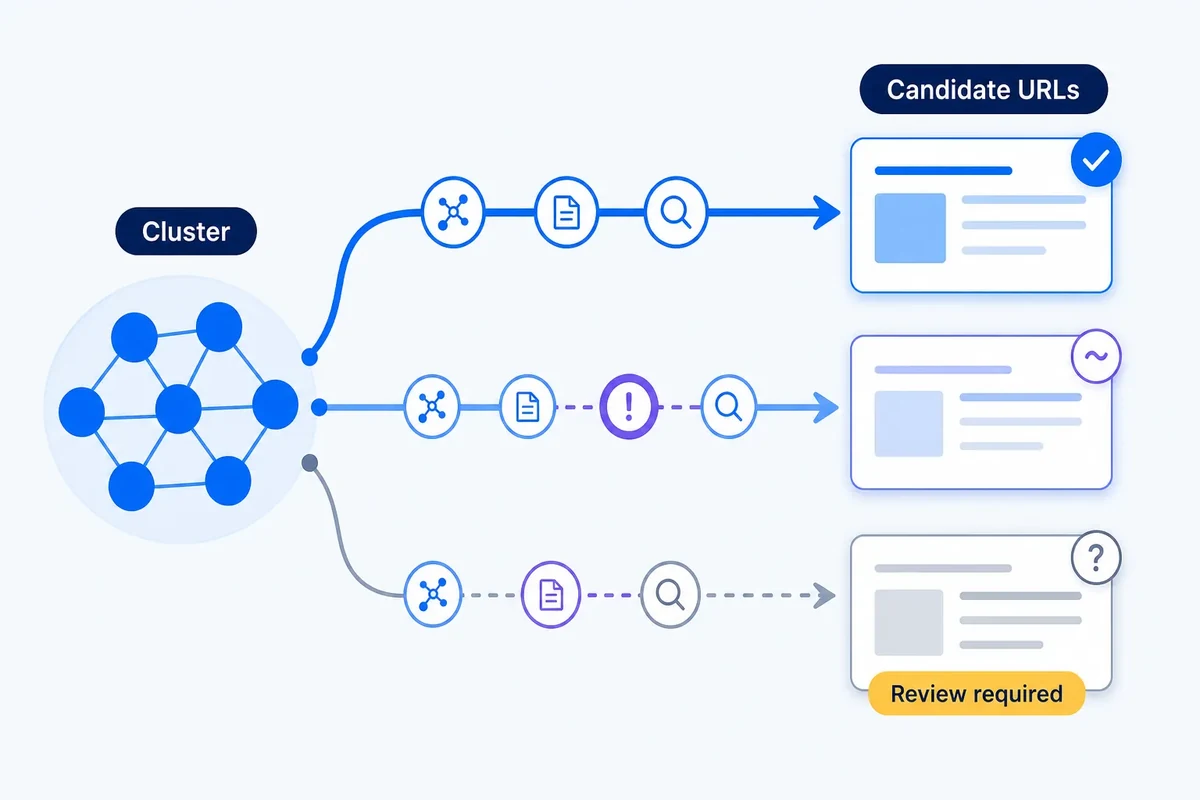
A confidence framework for mapping keyword clusters to URLs

Clustering Search Console queries by landing page: finding what each URL actually owns